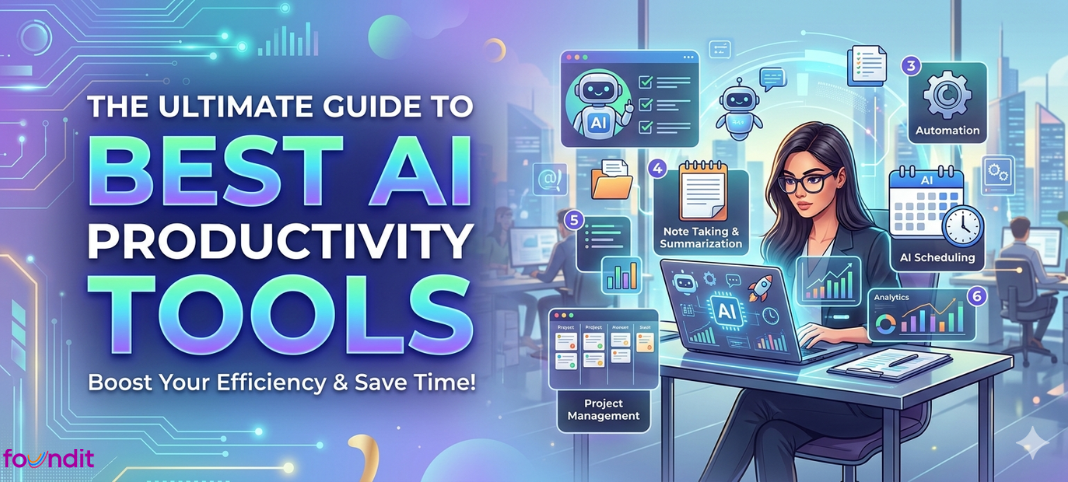
Artificial intelligence is rapidly transforming the modern workplace. Many professionals still spend hours switching between apps, organising tasks, and handling repetitive work.
AI productivity tools help reduce this inefficiency by automating routine tasks, assisting with writing, organising meetings, and simplifying project management. As a result, professionals can focus more on meaningful work rather than administrative activities. This guide covers the best AI tools for productivity.
Why AI Productivity Tools Are Changing the Way We Work
AI productivity tools are software applications that use artificial intelligence to improve workplace efficiency. These tools rely on technologies such as:
- Machine learning
- Natural language processing (NLP)
- Generative AI
What Do These Tools Do?
AI productivity tools help professionals:
- Automate repetitive tasks
- Improve decision-making
- Complete work faster
- Organise information efficiently
You can think of them as digital assistants that work continuously. They manage tasks, process data quickly, and reduce manual effort.
However, this transformation is not only about convenience. Research shows that AI tools are significantly improving workplace productivity.
Emerging Workplace Trends
Modern workplaces are increasingly adopting:
- Workflow automation
- AI writing assistants
- Smart scheduling systems
- Intelligent email management tools
AI productivity tools are no longer optional. They are becoming a standard part of modern work environments. If some professionals gain 10 hours of productivity per week using AI tools while others do not, the productivity gap will quickly increase.
How AI Tools are Tested and Selected
Instead of creating a random list, each tool is evaluated using a five-criteria testing framework. This approach helps identify tools that work well in real professional environments.
A visually attractive product does not always mean it is practical for everyday work, especially when professionals operate under tight deadlines. The usual evaluation criteria for tools are as follows:
- Real-World Task Speed
Whether the tool actually reduces the time required to complete tasks.
- Learning Curve
Checking if non-technical professionals could start using the tool within 30 minutes.
- Integration Capabilities
Evaluation of whether the tool integrates with widely used platforms, such as:
- Google Workspace
- Slack
- Microsoft 365
- Free Plan Usability
Many tools offer free plans that act only as demonstrations. It should be examined whether the free tier provides real functionality.
- Privacy and Data Handling
- Where user data is stored
- Whether privacy policies are clearly explained
Top AI Chatbots and Virtual Assistants for Daily Work
AI assistants have evolved far beyond simple question-answering tools. Today, they help professionals complete many work tasks efficiently.
Professionals now use AI assistants to:
- Draft emails and reports
- Summarise lengthy documents
- Generate marketing ideas
- Debug code
- Prepare meeting summaries
Choosing the right assistant is important because different tools specialise in different tasks.
ChatGPT
ChatGPT remains one of the most flexible AI assistants available today. The latest GPT-4o model supports a wide range of productivity tasks.
Users can:
- Write emails
- Analyse spreadsheets
- Generate code
- Brainstorm ideas
- Summarise documents
Pros
- Large plugin ecosystem
- Supports file uploads and document analysis
- Excellent for brainstorming and drafting
Cons
- Can occasionally produce incorrect information
- Important facts should always be verified
Pricing (Singapore)
- Free plan available
- Premium plan: Expected to cost around SGD13 ($9.75 USD) Go; $20 Plus
Best For
Professionals who want one AI assistant for multiple tasks.
Claude
Claude 3.5 Sonnet, developed by Anthropic, has become popular among professionals who work with long documents.
It is commonly used by:
- Researchers
- Consultants
- Legal professionals
Claude supports a 200K-token context window, allowing users to analyse very large documents such as:
- Research papers
- Legal contracts
- Technical reports
Pros
- Excellent long-document understanding
- Produces reliable summaries
- High-quality writing output
Cons
- Smaller integration ecosystem
- No built-in image generation
Best For
Professionals who regularly analyse large and complex documents.
Google Gemini
Google Gemini is designed for professionals who already rely on Google tools. It integrates directly with:
- Gmail
- Google Docs
- Google Sheets
This integration allows users to work without switching between multiple applications.
Users can:
- Draft emails
- Summarise documents
- Generate spreadsheet formulas
Pros
- Strong Google Workspace integration
- Supports text, image, and coding tasks
- Free access through many Google accounts
Cons
- Slightly slower for complex reasoning
- Third-party integrations are still developing
Best For
Professionals who rely heavily on Google Workspace tools.
Best AI Writing Tools for Professionals
AI writing tools help professionals overcome the blank page problem and generate content quickly.
They are commonly used to write:
- Reports
- Business proposals
- Emails
- Blog posts
- Job applications
These tools do not replace human creativity. Instead, they speed up the writing process and improve clarity.
Grammarly
Grammarly has evolved beyond basic spell-checking. Its AI features help improve writing clarity and tone.
Key Features
- Adjusts writing tone
- Rewrites unclear sentences
- Detects aggressive or inappropriate language
Pros
- Works across email, browsers, and documents
- Strong tone detection
- Useful free version available
Cons
- AI suggestions can sometimes sound generic
Pricing (Singapore)
- Free version available
- Premium plan: Expected to be around SGD15 per month
Best For
Professionals who write frequently and want clear, professional communication.
Jasper
Jasper is designed specifically for marketing and content creation.
It can generate:
- Blog posts
- Advertising copy
- Social media captions
- Product descriptions
Jasper also allows brand voice customisation, helping maintain consistent messaging.
Pros
- Brand voice customisation
- Templates for 50+ marketing formats
- Integration with SEO tools
Cons
- Outputs still require human editing
Pricing (Singapore)
Creator plan: Expected to be about SGD 49 per month
Best For
Content marketers and agencies producing large volumes of content.
Notion AI
Notion AI is integrated directly into the Notion workspace, which is widely used for documentation and collaboration.
Notion AI can be used to:
- Summarise meeting notes
- Generate action items
- Answer questions based on internal documents
Pros
- Integrated with the Notion workspace
- Excellent for internal documentation
- Affordable pricing
Cons
- Limited usefulness outside the Notion ecosystem
Best For
Teams that use Notion for internal knowledge management.
AI Tools for Project Management and Workflow Automation
Managing projects manually can slow down productivity. AI project management tools help teams:
- Track tasks
- Predict project delays
- Assign work automatically
- Generate project updates
Many platforms also support no-code automation, allowing professionals to connect applications without programming knowledge.
ClickUp AI
ClickUp is a widely used productivity platform for startups and growing teams.
ClickUp AI can:
- Write project briefs
- Summarise discussions
- Generate subtasks
- Create meeting summaries
Pros
- AI integrated across the platform
- Generous free plan
- Multiple task views (list, board, calendar)
Cons
- Large feature set may feel complex initially
Pricing (Singapore)
AI add-on: Expected to be around SGD10/user per month
Best For
Teams that want one platform to manage multiple workflows.
Zapier
Zapier connects different applications and automates workflows.
For example, a single form submission can automatically:
- Create a task in a project management tool
- Send a message to Slack
- Update a Google Sheet
Pros
- Connects 6,000+ applications
- Simple automation builder
- Free plan available
Cons
- Complex workflows can become expensive
Best For
Professionals who manage repetitive tasks across multiple tools.
Best AI Meeting Assistants
Many professionals spend hours in meetings, and important information is often missed.
AI meeting assistants help by:
- Joining video meetings automatically
- Transcribing conversations in real time
- Identifying key decisions
- Generating meeting summaries
Fireflies.ai
Fireflies goes beyond transcription by analysing business conversations.
Features
- Conversation sentiment analysis
- Speaking ratio tracking
- Identification of customer objections
Pros
- CRM integrations
- Searchable meeting transcripts
- AI meeting summaries with action items
Cons
- Accuracy depends on audio quality
Pricing (Singapore)
Premium plan: Expected to be around SGD10–18 per user per month
Best For
Sales teams analysing customer interactions.
Otter.ai
Otter offers one of the most accessible AI transcription tools.
Free Plan Includes
- 300 minutes of transcription per month
- Automatic meeting summaries
Pros
- Generous free plan
- Real-time transcription
- Clean interface
Cons
- Free plan has usage limits
- Limited CRM integrations
Best For
Individuals and small teams conducting frequent online meetings.
AI Productivity Tools in Singapore
Singapore has seen rapid growth in the adoption of AI productivity tools across education, startups, and large organisations.
Students use AI assistants for:
- Research
- Learning support
- Assignment preparation
Professionals rely on these tools to:
- Manage projects
- Automate communication
- Improve workflow efficiency
Remote work and digital collaboration have increased the demand for AI productivity platforms in Singapore. Many startups also integrate AI tools into their workflows to scale operations faster and reduce manual tasks.
Additionally, several Singaporean platforms are emerging that combine multiple AI models within one workspace, allowing developers and digital professionals to access different AI tools from a single interface.
Conclusion
AI productivity tools create a transformation in current workspaces because they make tasks more accessible and help workers become more productive. The tools provide writing support and workflow automation solutions which help professionals, students, and businesses to handle their daily tasks. As AI technology keeps improving, productivity tools are expected to become smarter and more personalised. The reliable AI tools enable people to establish work structures which decrease their need for manual tasks, so they can dedicate their time to important work. Users who understand tool operation can acquire the skills needed to adapt to digital work environments.
FAQs
Do AI tools replace human writers?
No, they amplify efficiency for research and editing, but human oversight ensures accuracy and compliance.
Which AI tool is best for productivity in 2026?
The efficient AI productivity tools consist of ChatGPT, Notion, AI Grammarly, Zapier, ClickUp AI and Microsoft Copilot.
Do AI productivity tools benefit students?
Yes. Students apply AI tools to create study material summaries, organise their notes, generate assignment ideas, and handle their academic responsibilities.
Are AI productivity tools safe to use?
The majority of AI tools implement standard security measures and privacy protocols, but users should stay away from sharing their protected data.
Do students, freelancers, startups and enterprises use AI productivity tools in Singapore? – H3
Yes, AI productivity tools are extensively used by students, freelancers, startups and enterprises throughout Singapore to create content, conduct research, manage projects and automate processes.